Web Hosting Pricing: What You’ll Really Pay in 2026
Every hosting company puts its cheapest number on the homepage. What actually lands on your card a year or two later is a different story, and that story changes depending on which kind of host you pick. Below, five providers get put side by side on their own numbers: Bluehost, DreamHost, GreenGeeks, WP Engine, and Cloudways. Use this web hosting pricing 2026 comparison as a planning tool, not just a price list. The goal is to know your year-two bill before you type your card number into any of them.
Pricing note: Hosting prices change frequently, and promotional rates may depend on the billing term. The prices below are intended as a 2026 planning reference; always confirm the final checkout price and renewal rate before purchasing.
Web Hosting Pricing 2026: The Five Providers Side by Side
| Provider | Sign-Up Rate | Rate After Renewal | Category | Who It Suits |
|---|---|---|---|---|
| Bluehost | $2.95–$3.95/mo | $8.99–$14.99/mo | Shared / WordPress | People building their very first site |
| DreamHost | $1.99–$2.89/mo | $9.99–$10.99/mo | Shared / WordPress | Tight budgets, long refund window |
| GreenGeeks | $2.49–$2.95/mo | $13.95–$18.95/mo | Shared / WordPress / VPS | Buyers who want renewable-energy hosting |
| WP Engine | $25–$30/mo | Stays the same | Managed WordPress | Client work, revenue-generating sites |
| Cloudways | $11/mo | Stays the same | Managed cloud (DigitalOcean, Vultr, AWS…) | Developers, sites with unpredictable traffic |
Notice the split. Three of these companies, Bluehost, DreamHost, and GreenGeeks, get you in the door cheap and then raise the bill once the intro term is over. The other two, WP Engine and Cloudways, charge more from the start, but the number on your invoice a year from now matches the number you saw at checkout today.
Bluehost: A Familiar Name for a First Website
Bluehost carries WordPress.org’s official endorsement, and its shared plans are built so a non-technical person can go from zero to a live site in an afternoon. cPanel, a bundled domain, and SSL are included from the start.
| Plan | Sign-Up Rate | Renewal Rate | Included |
|---|---|---|---|
| Basic | $2.95/mo | $8.99–$10.99/mo | 1 site, domain free for year one, free SSL |
| Plus | $5.45/mo | $10.99/mo | Unlimited sites, unmetered storage |
| Choice Plus | $6.95/mo | $14.99/mo | Domain privacy, CodeGuard backup add-on |
| Pro | $13.95/mo | $23.99/mo | Dedicated IP, top-tier resource allocation |
A concrete case: Say a wedding photographer wants a single-page site with a contact form. She locks in the Basic plan for 36 months at $2.95/month, which comes to about $106 up front. Once that term is up, the very same plan bills at $8.99 to $10.99 a month instead. Nothing about the site changed. Only the price did. That’s the trade every Bluehost shared plan makes, so treat the renewal figure, not the banner ad number, as your real budget line.
Separately, Bluehost sells backups (CodeGuard, $47.88–$107.88 a year), malware scanning (SiteLock, from $95.88 a year), and domain privacy ($15/year) as extras rather than built-ins on the lower tiers.
DreamHost: Cheapest Entry, Gentlest WordPress Tier
Two things set DreamHost apart from the rest of this list: its opening price is usually the lowest of the group, and it backs purchases with a 97-day refund window, more than triple the standard 30 days most hosts offer.
| Plan | Sign-Up Rate | Renewal Rate | Included |
|---|---|---|---|
| Shared Starter | $1.99–$2.89/mo | $9.99–$10.99/mo | 1 site, SSL, WordPress ready to install |
| Shared Unlimited | ~$4.95/mo | ~$16.99/mo | Unlimited sites and storage |
| DreamPress | $14.99–$19.99/mo | $19.99/mo | Managed WordPress, no steep renewal jump |
| VPS | $10–$60/mo | Rises at renewal | Root access, dedicated resource pools |
A concrete case: A hobby blogger pays about $35 for the entire first year on Shared Starter’s annual plan. Year two, for the exact same service, the bill comes to roughly $96, nearly triple, though that’s still in line with what competing shared hosts charge once their promo period lapses.
DreamPress is the interesting exception here. Its renewal increase sits around 33–39%, nowhere near the 100%+ swings typical of plain shared hosting. If managed WordPress appeals to you but WP Engine’s price tag doesn’t, DreamPress sits comfortably in between.
GreenGeeks: Renewable Energy, Ordinary Renewal Math
GreenGeeks powers its infrastructure with renewable energy credits and leans into that in its marketing, but the underlying pricing mechanics look a lot like any other budget shared host.
| Plan | Sign-Up Rate | Renewal Rate | Included |
|---|---|---|---|
| Lite | $2.49–$2.95/mo | $13.95/mo | 1 site, 50GB storage |
| Pro | $4.95/mo | $18.95/mo | Unlimited sites |
| Premium | $8.95/mo | $30.95/mo | Top resource tier |
| Managed VPS | $39.95/mo | $59.95–$109.95/mo | 2GB–8GB RAM options |
A concrete case: A local nonprofit puts its donation page on the Lite plan for $2.95 a month. When the intro term lapses, that same plan costs $13.95 a month, a jump north of 350%. It’s not out of line with the category, but it’s worth mapping out before locking in a multi-year commitment on the assumption the intro number holds.
If a host’s environmental credentials factor into your decision and you’re comfortable with the standard shared-hosting renewal curve, GreenGeeks earns a look on that basis alone.
WP Engine: Priced for Sites That Can’t Afford Downtime
WP Engine skips the low-price-then-raise-it playbook entirely. It costs noticeably more than any shared host on this list from day one, but the number you agree to at signup is the number you keep paying.
| Plan | Monthly Price | Sites Included | Visit Cap | Storage |
|---|---|---|---|---|
| Startup | $25–$30/mo | 1 | 25,000 | 10 GB |
| Professional | $55/mo | 3 | 75,000 | 15 GB |
| Growth | $109/mo | 10 | 100,000 | — |
| Scale | $276/mo | 30 | 400,000 | — |
| Core / Enterprise | $400+/mo | Custom | Custom | Custom |
A concrete case: A freelance web consultant hosts one client site on Startup at $25–$30/month. When two more clients sign on, adding each extra site to Startup costs $20/month apiece, pushing the bill to roughly $70/month for three sites. Moving to Professional at $55/month for three sites built in turns out cheaper than staying on Startup and paying per-site add-ons.
Every plan in the Essential lineup bundles server-side caching, a CDN, 40-day-retention daily backups, one-click staging, and automatic core updates. Phone support doesn’t open up until Professional. One thing to watch: WP Engine meters by visits, not bandwidth, and charges $2 per 1,000 visits past your cap. That count can include bot and crawler traffic, not just real humans.
Cloudways: Cloud Infrastructure Without the Terminal
Cloudways sits on top of five raw cloud providers, DigitalOcean, Vultr, Linode/Akamai, AWS, and Google Cloud, and wraps them in a dashboard so you get cloud-grade performance without configuring a server by hand. Like WP Engine, the price doesn’t move at renewal.
| Infrastructure | Starting Cost | Specs |
|---|---|---|
| DigitalOcean | $11/mo ($8.25/mo paid annually) | 1GB RAM, 1 vCPU, 25GB SSD, 1TB bandwidth |
| Vultr / Linode | $14/mo | Comparable entry-level specs |
| AWS | ~$20.56/mo | Enterprise-grade infrastructure |
| Google Cloud | ~$37.33/mo | Enterprise-grade infrastructure |
A concrete case: A WooCommerce seller starts on the $11/month DigitalOcean tier. In the run-up to a big seasonal sale, she bumps the server to a 4GB tier, around $46/month, for that one month, then scales back down once traffic normalizes. This means she pays for the capacity she actually used instead of locking into a year-long contract sized for her busiest week.
Because billing runs hourly and prorates to actual usage, Cloudways fits sites with lumpy or seasonal traffic better than a flat shared plan would. The catch is that there is no free domain or email bundled in, and you’re paying roughly twice what the raw cloud provider would charge on its own. That markup buys the management layer, automated backups, and one-click scaling instead of a bare command line.
Matching a Host to Your Situation
- First site, small budget: Bluehost or DreamHost at $2–$3/month to start. Just plan around the 3–5x renewal jump ahead of time.
- Want the longest window to change your mind, or a gentler WordPress renewal: DreamHost, particularly DreamPress.
- Sustainability is part of your brand, budget’s still tight: GreenGeeks.
- Site brings in revenue and downtime has a real cost: WP Engine, pricier up front, but the bill doesn’t move later and the performance tuning is WordPress-specific.
- Comfortable with more technical control, traffic that swings up and down: Cloudways. Scale up or down and pay only for what you use.
The Number That Actually Matters
The real divide in this list isn’t shared versus managed. It’s whether the price you see today is the price you’ll see next year. Bluehost, DreamHost, and GreenGeeks win the opening bid but cost more down the line; WP Engine and Cloudways ask for more up front and then hold steady.
Before signing up anywhere, write down three numbers: today’s price, the renewal price, and how long the intro term lasts. Multiply that out over two or three years and compare the total, not just the banner price, against what a flat-rate host like WP Engine or Cloudways would cost over the same stretch.
Frequently Asked Questions
Bluehost or DreamHost, which costs less over time?
DreamHost usually opens at a lower price and gives you a longer refund window, but both land in a similar $9.99–$10.99/month range once the entry-level shared plan renews. Whichever promo is running when you sign up often decides the winner.
Is the jump to WP Engine worth it compared to shared hosting?
For a site that makes money or where an outage costs you customers, generally yes. The built-in backups, staging, caching, and flat renewal pricing make up the difference. For a low-traffic personal project, shared hosting still wins on cost.
Does a Cloudways plan come with a free domain?
No. Bluehost, DreamHost, and GreenGeeks all bundle a domain into annual plans; Cloudways doesn’t, so you’ll register one separately.
Which of these five never raises its price at renewal?
WP Engine and Cloudways both keep the sign-up rate and renewal rate identical. Bluehost, DreamHost, and GreenGeeks all raise shared-hosting prices once the intro term ends, often substantially.
Still Confused About Which Hosting Plan to Choose?
Choosing the right hosting plan can be confusing, especially when every provider has different prices, features, and renewal terms. If you’re still unsure which option is best for your website, contact us for free guidance.
Tell us about your website, your budget, and what you need from your hosting plan. We’ll help you compare the options and guide you toward the best hosting solution for your website.

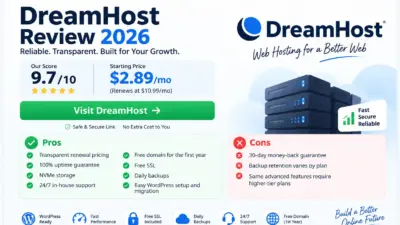
[…] Every plan above includes a free domain for the first year and unlimited free SSL certificates. The important distinction is between the promotional first-year price and what you’ll actually pay starting in year two. DreamHost prints the renewal rate directly on the plan card, which is unusual: most budget hosts make you dig through a separate terms page to find that number. For a broader look at how DreamHost’s pricing compares against other major hosts, see our full breakdown in “Web Hosting Pricing 2026: What You’ll Really Pay.” […]