What Is Web Hosting? A Simple Explanation for Beginners
By the GuideMyHost Team. We run all of our own websites on DreamHost and have used it as our main host for years. Last updated August 2026.
What is web hosting? If you want to create a website, you need somewhere for that website to exist online. That’s where web hosting comes in.
When you build a website, you create files, images, databases, and other resources that make the site work. Those files can’t just sit on your personal computer if you want people around the world to visit — they need to live on a server that’s connected to the internet around the clock.
Web hosting provides the server space and infrastructure needed to make your website available to visitors.
The easiest way to understand it: your domain name is the address customers use to find your business, your website is the shop itself, and your hosting server is the building the shop sits in.
A quick note from experience: We host all of GuideMyHost’s own websites on DreamHost and it’s genuinely been a good experience — reliable enough that we’ve never felt the need to move anything elsewhere. That’s our experience, not a universal guarantee, so we’ve kept the rest of this guide provider-neutral where it’s about picking hosting types rather than specific companies. Where DreamHost comes up below, it reflects our own use, not a paid placement.
Independent monitoring backs this up more broadly: third-party reviewers testing DreamHost in 2026 have generally recorded uptime above 99.9%, and DreamHost is one of a small number of hosts officially recommended by WordPress.org. It was founded in 1997 and remains independently owned rather than folded into one of the large hosting conglomerates — worth knowing if that kind of independence matters to you.
What Is Web Hosting?
Web hosting is a service that stores the files and data needed for a website and makes them accessible over the internet.
A website can include:
- Web pages, images, videos
- CSS and JavaScript
- Fonts
- WordPress files, plugins, and themes
- Databases
- Forms and other application data
A hosting company provides servers and the supporting infrastructure — power, cooling, networking, security — needed to keep all of that reachable 24/7.
A simple example. Say you build myexample.com and upload your site to a hosting account. When someone in another city types that domain into their browser, their computer looks up where your site lives, the request reaches your host’s server, and the server sends back what’s needed to display the page. The visitor never has to know (or care) where the physical server actually sits.
Think of Web Hosting Like Renting Space
| Website concept | Real-world equivalent |
|---|---|
| Domain name | Business address |
| Hosting | Rented location |
| Website files | Products and equipment |
| Server | The building itself |
| Visitors | Customers |
The comparison isn’t perfect technically, but it captures the core idea: your domain tells people where to go; hosting provides the place your website actually exists.
How Does Web Hosting Actually Work?
- The visitor enters your domain — e.g.,
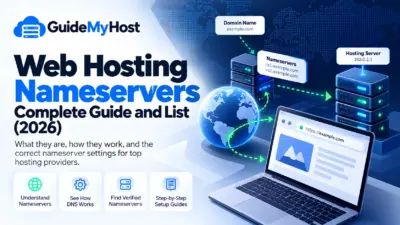
example.com. - DNS looks it up. The Domain Name System translates that human-readable name into the technical address of your hosting server. (For a deeper technical walkthrough, see Cloudflare’s DNS explainer.)
- The request reaches your host. The browser’s request travels to the server or infrastructure responsible for your site.
- The server assembles the response — retrieving HTML, images, or, for a dynamic site like WordPress, running server-side code to build the page on the fly.
- The response comes back, and the browser renders it on the visitor’s screen.
In short: Visitor → Domain → DNS → Server → Website Resources → Browser.
Is Web Hosting the Same as a Domain Name?
No — this trips up a lot of beginners.
- Domain = your website’s name and address (e.g.,
yourwebsite.com). People use it to find you. - Hosting = where your website’s files and data actually live and run.
Some companies bundle both, which simplifies setup, but they’re technically separate services — and you can buy them from different companies if you want.
What Is a Web Server?
A web server is a computer system built to handle requests and deliver website content over a network. Hosting companies run these in data centers with redundant power, cooling, connectivity, and physical security. Buying a hosting plan means paying for access to that managed environment — you’re not buying or maintaining hardware yourself.
What Are the Different Types of Web Hosting?
There’s no single “best” hosting plan — a personal blog and a high-traffic online store have very different needs.
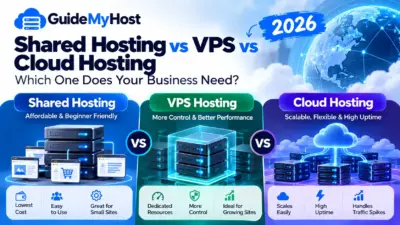
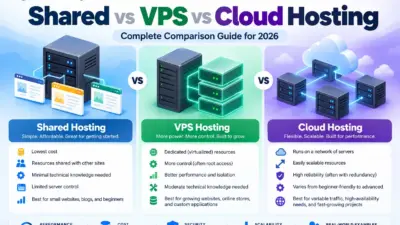
Shared Hosting
Multiple websites run within the same server environment — like an apartment building where you have your own unit but share the underlying infrastructure. This is where most beginners start: it’s affordable, simple to manage, and typically comes with beginner-friendly control panels. According to Grand View Research, shared hosting still accounts for roughly a third of total web hosting industry revenue — it remains the dominant entry point despite newer alternatives. The trade-off is less isolation and control than VPS or dedicated options.
In our own experience running GuideMyHost’s sites on DreamHost’s shared plans, this trade-off hasn’t been a real problem for personal and small business sites — the reliability has held up well without needing to upgrade to VPS.
VPS Hosting
VPS (Virtual Private Server) hosting splits one physical server into isolated virtual environments, each with allocated resources. It suits sites that have outgrown shared hosting, need more control, or have specific software requirements — but it demands more technical comfort and costs more.
Cloud Hosting
Cloud hosting draws on connected infrastructure rather than a single traditional server, which typically allows resources to flex as demand changes. It’s a common fit for projects needing scalability or handling unpredictable traffic. “Cloud” branding alone doesn’t guarantee better performance — always check the actual service being offered, not just the label.
Dedicated Hosting
One customer gets an entire physical server, with extensive access to its resources. This gives more predictable performance and configuration control, at a higher price point and with more required technical skill. Most beginner websites don’t need this level of infrastructure.
Managed WordPress Hosting
Built specifically around WordPress, these plans may handle updates, backups, security hardening, and performance tuning depending on the provider. It’s a good fit if you’d rather build your site than manage a server.
How Much Does Web Hosting Cost in 2026?
There’s no standard hosting price — cost depends on hosting type, provider, resources, contract length, and included features.
The single most important thing to check: introductory price vs. renewal price. Hosting companies commonly advertise a low first-term rate; the price at renewal is often meaningfully higher. Before buying, calculate:
Initial price + renewal price + required add-ons = your real long-term cost
Also check what’s actually bundled — storage, backups, SSL, email, number of sites allowed, and support tier all vary widely between plans that look similar on price alone.
Need Help With Your Website or Hosting?
Not sure which hosting plan or website setup is right for you? Contact us for free guidance. We’ll help you understand your options and choose what best fits your needs — with no consultation fee.
What Are the Advantages of Web Hosting?
- No physical server to own or maintain — the provider handles hardware, connectivity, and physical security.
- Round-the-clock availability, assuming reasonable uptime from your provider.
- You can start small and scale up as traffic or requirements grow.
- Built-in management tools for domains, files, databases, email, SSL, and backups (availability varies by provider).
- Access to support when something breaks — a real asset if you’re new to this.
What Are the Disadvantages of Web Hosting?
- Recurring cost — unlike a website sitting locally on your computer, staying online means ongoing payments.
- Resource limits on lower-tier plans.
- Renewal price jumps after promotional periods end.
- Shared security responsibility — your host provides tools, but you still need to keep software, plugins, and passwords secure.
- Migration friction if you switch providers later — moving files, databases, email, and DNS settings takes planning.
Common Web Hosting Mistakes Beginners Make
- Choosing on price alone — the cheapest plan with the wrong limits can cost you more in frustration later.
- Ignoring the renewal price — always check what you’ll pay after year one.
- Overbuying — a new, small site rarely needs enterprise-grade infrastructure.
- Not checking backup policy — ask how often backups run, how long they’re kept, whether you can self-restore, and whether it costs extra.
- Missing plan restrictions — number of sites, databases, CPU/memory caps, email accounts, and traffic policies can matter more than headline storage numbers.
- Not thinking about growth — you don’t need the biggest plan today, but you should know how easy upgrading will be later.
Web Hosting vs. the Alternatives
Traditional hosting isn’t the only path to getting a website online. Depending on your project, consider:
- Website builders (fastest setup, least control)
- Managed platforms (e.g., Shopify for e-commerce)
- Static hosting (for simple, code-based sites)
- Self-managed servers (maximum control, maximum responsibility)
There’s no universal winner — a simple personal site favors ease of use; a custom application favors control; a business site often prioritizes reliability, support, and simplicity.
How to Set Up Web Hosting
- Decide what you’re building — blog, business site, store, portfolio, app — this shapes what hosting type you actually need.
- Compare providers on resources and renewal pricing, not just the ad.
- Buy a plan sized to your current needs, not your hoped-for future traffic.
- Point your domain’s DNS to your host if the domain and hosting are with different companies.
- Upload or install your site (WordPress, a builder, or a custom deployment).
- Enable HTTPS. This is no longer optional — an estimated 88–90% of websites now serve over HTTPS by default, and browsers actively flag non-HTTPS sites as “not secure.”
- Set up backups and security features included with your plan.
- Test everything — pages, forms, images, mobile layout, and links — before pointing real traffic at it.
What Should You Look For Before Buying Web Hosting?
Price (initial and renewal), website limit, storage, CPU/memory resources, backup policy, security features, support channels and hours, upgrade path, migration support, and — critically — any paid add-ons not included in the advertised price.
Web Hosting Checklist
- What type of website am I building?
- Does this hosting support my platform (e.g., WordPress)?
- What’s the introductory price — and the renewal price?
- How many websites can I host on this plan?
- How much storage and what resource limits apply?
- Are backups included, and how do they work?
- Is SSL/HTTPS included?
- What support channels exist, and when?
- Can I upgrade later without a painful migration?
- Are there charges not shown in the advertised price?
Is Web Hosting Worth It in 2026?
For most people running their own site, yes — but the sharper question is whether the specific plan you’re considering is worth its price for your site. A simple informational site may do fine on basic shared hosting; a growing store may need more headroom. Measure the plan against your actual requirements, not the length of its feature list.
For context on scale: the global web hosting market was valued at roughly $180 billion in 2025 and is projected to keep growing at a double-digit annual rate through the end of the decade, according to Mordor Intelligence — meaning competition (and price pressure) among providers isn’t going away.
Web Hosting FAQ
| Question | Click to Read |
|---|---|
| What are the different types of web hosting? | Web Hosting Types guide |
| How much does web hosting cost? | Web Hosting Pricing guide |
| How do I set up web hosting? | How to Set Up Web Hosting guide |
| What should I look for before buying web hosting? | Web Hosting Checklist |
| Is web hosting worth it? | Is Web Hosting Worth It? guide |
What is web hosting in simple terms? It’s the service that gives your website’s files a place to live on a server connected to the internet, so visitors can reach it anytime.
Do I need web hosting to have a website? If you’re running a site you control directly, yes, in some form. Some website builders bundle hosting into their service, so you may not buy it separately.
Is a domain name the same as web hosting? No. A domain is the address people type to find you; hosting is where your site’s files and data actually live and run.
How does web hosting work step by step? A visitor enters your domain, DNS resolves it to your server’s address, the server processes the request, and the response is sent back to the visitor’s browser for display.
How much does web hosting cost in 2026? It varies by provider, hosting type, and included features — always compare total cost (introductory and renewal price), not just the advertised rate.
What’s the biggest mistake beginners make? Choosing based on the introductory price alone and not checking what the plan costs — or what it restricts — after the first term ends.
What can I use instead of traditional hosting? Website builders, managed platforms (like Shopify), static hosting, or a self-managed server, depending on your technical needs and budget.
Which hosting is best for beginners? Shared hosting is the practical starting point for most new sites. Speaking from our own use at GuideMyHost, we’ve run all of our own websites on DreamHost’s shared hosting and found it dependable enough that we’ve never needed to move to anything more complex — though the right choice always depends on your platform, traffic, and budget, not any one provider.
The Bottom Line
Your website needs somewhere to operate — web hosting provides that infrastructure. Your domain gets people to the right address; your hosting is the place your site actually lives.
You don’t need the most expensive plan just to get started. Understand what your site actually needs, compare real (not promotional) pricing, and choose something you can grow into.
[…] What Is Web Hosting? 7 Essential Facts Beginners Should Know […]