Pros
- Affordable introductory pricing.
- Wide range of hosting options.
- Daily automated backups on current Launch plan.
- 30-day money-back guarantee.
Cons
- Renewal price is higher.
- Lowest promotional price requires a longer prepaid term.
How to Choose a Web Hosting Plan in 2026
Affiliate disclosure: This article contains affiliate links, including links to DreamHost. If you purchase hosting through one of these links, we may earn a commission at no additional cost to you. We only recommend services that we believe can be suitable for the type of website discussed.
Knowing how to choose a web hosting plan starts with your website’s needs – not with the hosting company’s advertisements.
Most hosting companies promote features such as fast servers, high uptime, unlimited resources, free SSL, and easy WordPress installation. Those features can be useful, but they do not automatically tell you which plan is right for your website.
Before buying a plan, consider:
- What type of website are you building?
- How much traffic do you expect?
- Do you need WordPress?
- Will you run an online store?
- How much storage will you need?
- Do you need email and automatic backups?
- What will the plan cost when the introductory offer ends?
This guide explains the main hosting options and the features that are actually worth comparing.
Step 1: How to Choose a Web Hosting Plan Based on Your Website
The right hosting plan depends mainly on what your website needs.
Personal website or portfolio
A personal website, portfolio, resume site, or small blog usually does not require expensive hosting.
A basic shared hosting plan is often enough if your website has:
- A small number of pages
- Relatively low traffic
- Mostly text and images
- No complex applications
- No demanding database workload
Starting small also gives you the option to upgrade later.
Small business website
A typical small business website may include:
- Service pages
- A contact form
- Business information
- A blog
- Images and videos
- Professional email
For this type of website, reliability, support, backups, and room for growth can be more important than paying for the most powerful server available.
Online store
An online store generally needs more attention than a basic informational website.
A WooCommerce store, for example, may perform database operations when visitors:
- Search for products
- Open product pages
- Add products to a cart
- Log in
- Apply discounts
- Complete checkout
A slow or overloaded store can create a poor shopping experience and may contribute to abandoned purchases.
For an online store, it can be worth paying more for better resources, caching, storage performance, and reliable backups.
High traffic website or web application
Large publications, SaaS products, membership platforms, and applications with many simultaneous users may eventually need more than shared hosting.
Depending on the workload, you may need:
- VPS hosting
- Cloud infrastructure
- Dedicated servers
- Managed infrastructure
The important point is to choose based on actual resource requirements rather than simply buying the most expensive plan.
Step 2: Understand the Main Hosting Types
Here is a simple way to understand the most common hosting options.
| Hosting type | What it means | Suitable for |
|---|---|---|
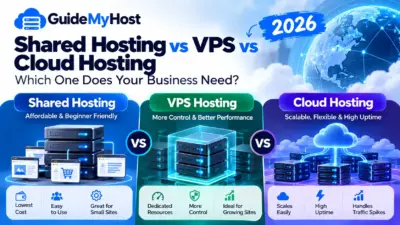
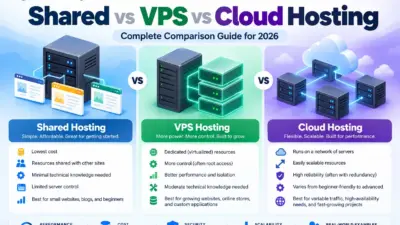
| Shared hosting | Multiple websites use resources on the same hosting environment | Personal sites, blogs, portfolios, small businesses |
| VPS hosting | Your site receives an allocated portion of server resources with greater control | Growing websites and custom applications |
| Cloud hosting | Hosting uses cloud infrastructure that can be expanded according to workload | Websites with changing or unpredictable traffic |
| Managed WordPress hosting | The provider handles more WordPress related maintenance and optimization | Businesses and WordPress users who want less technical work |
| Dedicated hosting | An entire physical server is assigned to one customer | Large websites and resource intensive applications |
Shared hosting
Shared hosting is usually the easiest and most affordable place to start.
Several websites operate within the same hosting environment, which allows the provider to offer lower prices.
It can be a good choice for:
- New websites
- Blogs
- Portfolios
- Small business websites
- Low to moderate traffic sites
The main limitation is that resources are not equivalent to having an entire server dedicated to your website.
VPS hosting
A Virtual Private Server provides more control and allocated resources than typical shared hosting.
A VPS can make sense when:
- Your website has grown beyond your current hosting plan
- You need custom software
- You need root or administrative access
- You have technical experience managing servers
- Your application requires more predictable resources
The tradeoff is that VPS hosting can require more technical knowledge and usually costs more than basic shared hosting.
Cloud hosting
Cloud hosting uses cloud infrastructure rather than relying on a traditional single-server setup.
It can be useful for websites that experience:
- Seasonal traffic
- Sudden traffic increases
- Variable workloads
- Rapid growth
Pricing depends on the provider and the resources being used, so always check how billing works before choosing a cloud plan.
Managed WordPress hosting
Managed WordPress hosting is designed specifically around WordPress.
Depending on the provider, a managed plan may include:
- WordPress updates
- Automated backups
- Caching
- Security tools
- WordPress specific support
- Staging environments
- Performance optimization
It can be a good option if you want to spend more time managing your website and less time managing the server.
Dedicated hosting
With dedicated hosting, an entire physical server is assigned to your website or application.
This is generally intended for demanding workloads such as:
- High traffic websites
- Large online stores
- Large databases
- Resource intensive applications
- Certain compliance requirements
For most personal and small business websites, dedicated hosting is unnecessary.
Step 3: Compare the Features That Matter
You do not need to understand every technical specification listed on a hosting page.
Focus on the features that can affect your website’s performance, reliability, and cost.
Storage technology
NVMe SSD storage is commonly used in newer hosting environments and can provide fast storage performance.
It can be particularly useful for websites that frequently access databases, such as:
- WooCommerce stores
- Large WordPress websites
- Membership websites
- Web applications
Do not choose a host based on the word “NVMe” alone, though. The overall server configuration, software stack, caching, and resource allocation also matter.
Web server and caching
Hosting companies may use technologies such as Apache, NGINX, or LiteSpeed.
The software name is only one part of the picture.
Caching configuration can have a major effect on how quickly frequently requested pages are delivered.
For a small website, the difference may not be significant. For a busy WordPress website or online store, caching and server configuration can become much more important.
Resource limits
Do not assume that a plan advertised as “unlimited” gives you unlimited CPU or memory.
Check the actual limits where the provider makes them available.
Useful things to compare include:
- CPU resources
- RAM
- Storage
- Inodes
- PHP workers or processes
- Concurrent connections
- Database limits
- Number of websites allowed
These details can tell you much more about a hosting plan than a large “unlimited” label.
Step 4: Pay Attention to Renewal Pricing
One of the easiest mistakes when buying hosting is looking only at the introductory price.
Many hosting companies offer a discounted rate for the first billing period and then charge the regular rate when the plan renews.
The introductory period can vary depending on the provider and subscription term.
Before purchasing, check:
1. The renewal price
Do not compare hosting companies using only their advertised monthly promotional price.
Look at what you will actually pay when the first term ends.
2. The billing period
A very low monthly price may require payment for several years upfront.
Always check the total amount charged at checkout.
3. Included features
Check whether the plan includes:
- SSL certificates
- Backups
- Domain registration
- Domain privacy
- CDN access
- Malware protection
- Website migration
- Staging
Some features may only be available on specific plans.
4. Refund policy
Read the refund terms before purchasing.
Check:
- The length of the refund period
- Which hosting products qualify
- Whether domains are refundable
- Whether add-ons have separate refund rules
Step 5: Match the Hosting to Your Needs
You can use this as a simple starting point.
For a personal website
A basic shared hosting plan is usually sufficient.
Look for:
- Reliable hosting
- SSL
- Enough storage
- Reasonable support
- A simple control panel
For a small business
Consider shared hosting or managed WordPress hosting.
Prioritize:
- Reliability
- Backups
- Support
- Storage
- Room for growth
For an online store
Look more closely at:
- CPU and memory resources
- Database performance
- Storage technology
- Caching
- Backups
- Security
- CDN availability
- Support
If the store is growing, VPS or managed WordPress hosting may be more appropriate than the cheapest shared plan.
For a high-traffic website
Consider:
- VPS hosting
- Cloud hosting
- Dedicated servers
- Scalable infrastructure
At this level, uptime commitments, monitoring, technical support, and resource availability can matter more than the lowest monthly price.
A Good Starting Point: DreamHost
DreamHost is one option worth considering if you want a provider with several hosting levels.
DreamHost offers:
- Shared web hosting
- Managed WordPress hosting through DreamPress
- VPS hosting
- Dedicated servers
DreamHost is also included on WordPress.org’s recommended hosting page, which lists selected providers that WordPress considers among its recommended hosts.
Current DreamHost pricing
Pricing changes with promotions and subscription length, so check the live pricing page before purchasing.
As of August 28, 2026, DreamHost’s Web Hosting Launch plan is advertised at $2.89 per month for the first year, with renewal at $10.99 per month. The current four year promotional offer is $1.99 per month, renewing at $7.99 per month after the promotional term.
The current Launch plan includes:
- 25 websites
- 25 GB NVMe SSD storage
- Unmetered bandwidth
- Daily automated backups
- Free SSL certificates
- One year of free domain registration
- Three months of Professional Email
- 30 day money back guarantee
The important point is that the $1.99 price requires a four year promotional term, so it should not be compared directly with a one year price from another provider.
DreamHost also offers monthly billing, so you do not necessarily have to prepay for several years.
[Check DreamHost’s current plans and pricing]
Quick Hosting Decision Guide
If you want the simple answer:
- First website
- Choose reliable shared hosting.
- Personal blog or portfolio
- A basic shared plan is usually enough.
- Small business website
- Look for shared or managed WordPress hosting with backups, email, support, and room to grow.
- Online store
- Prioritize resources, database performance, caching, backups, and security.
- High-traffic website or application
- Consider VPS, cloud, or dedicated infrastructure.
| What you need | Recommended |
|---|---|
| ⭐ First website / personal site | DreamHost → |
| ⭐ Small business website | DreamHost → |
| ⭐ WordPress website | Bluehost → |
| ⭐ AI Online store | Bluehost → |
| ⭐ Growing website | DreamHost → |
| ⭐ Pro Vps who wants an easy setup | Dreamhost → |
Need help choosing a website or hosting plan? Contact us for free, personalized guidance. We’ll help you find the right option for your needs.
For More Guides
Frequently Asked Questions
Do I need a dedicated IP address?
Usually, no.
Most standard websites can operate perfectly well without a dedicated IP address.
A dedicated IP can be useful for specific technical requirements, but most new website owners do not need one simply because they are launching a website.
If you plan to send a large volume of email, consider your email provider’s sending infrastructure and reputation separately from your website’s IP address.
How can I tell whether hosting is slowing down my website?
Start by testing your website.
Google PageSpeed Insights and other performance testing tools can help identify issues with loading speed and responsiveness.
Useful metrics include:
- Time to First Byte (TTFB)
- Largest Contentful Paint (LCP)
- Interaction to Next Paint (INP)
- Cumulative Layout Shift (CLS)
- Server response time
Do not assume that every slow website is caused by the hosting provider.
Performance issues can also come from:
- Large images
- Too many plugins
- Poorly optimized themes
- Third-party scripts
- Database queries
- Missing caching
- Poorly configured software
Google uses Core Web Vitals to measure important aspects of real-world loading performance, responsiveness, and visual stability.
Need help improving your Google PageSpeed score? Contact us for free guidance. !
Does server location affect SEO?
Server location can affect network latency and how quickly content reaches your visitors.
If most of your visitors are located in a particular region, choosing infrastructure that can serve them efficiently may improve their overall experience.
However, server location should not be treated as a direct Google ranking factor.
Website performance is the more important consideration. Google recommends paying attention to Core Web Vitals and overall page experience.
What is the difference between WordPress.org and WordPress.com?
WordPress.org provides the WordPress software that you can install with a hosting provider of your choice.
With self-hosted WordPress, you generally have more control over:
- Themes
- Plugins
- Hosting
- Website configuration
- Server resources
You also have more responsibility for maintenance, security, backups, and updates.
WordPress.com is a hosted platform, so much of the underlying technical infrastructure is managed for you.
Can I move my website to another host later?
Yes.
You are not permanently locked into your first hosting provider.
A typical migration involves:
- Purchase the new hosting plan.
- Copy your website files and database.
- Test the website on the new server.
- Check forms, images, plugins, email, and other important functions.
- Update your domain’s DNS settings.
- Monitor the website after the DNS change.
For an important business website, test everything on the new server before changing the DNS.
Final Thoughts
Knowing how to choose a web hosting plan does not need to be complicated.
Start with the website you are building and work backward from its actual requirements.
Before purchasing, consider:
- Expected traffic
- Website type
- Storage requirements
- CPU and memory resources
- WordPress requirements
- Backups
- Security
- Support
- Upgrade options
- Introductory pricing
- Renewal pricing
- Billing period
For a personal website or small blog, basic shared hosting may be all you need.
- A small business may benefit from better backups, support, email, and room for growth.
- An online store may justify spending more on performance and resources.
- A large website or application may eventually require VPS, cloud, or dedicated infrastructure.
Most importantly, do not choose a hosting plan based only on the lowest advertised monthly price.
Check the amount you pay today, the renewal price, the billing term, the features included, and the resource limits.
That simple comparison can help you avoid choosing a plan that looks inexpensive at signup but becomes much more expensive later.
Pricing and hosting features can change because providers regularly update their plans and promotions. Always verify the current price, renewal rate, billing term, and included features on the provider’s website before purchasing.
Need help with your website or hosting? Contact us for free guidance. We’re happy to help you choose the right option for your needs.

[…] How to Choose a Web Hosting Plan (2026 Guide) […]
[…] How to Choose a Web Hosting Plan (2026 Guide) […]
[…] How to Choose a Web Hosting Plan (2026 Guide) […]
[…] How to Choose the Right Hosting […]
[…] How to Choose a Web Hosting Plan (2026 Guide) […]